Bear Blog meta image generator
A dashboard plugin that generates a meta image for your post in one click, no design tools needed.
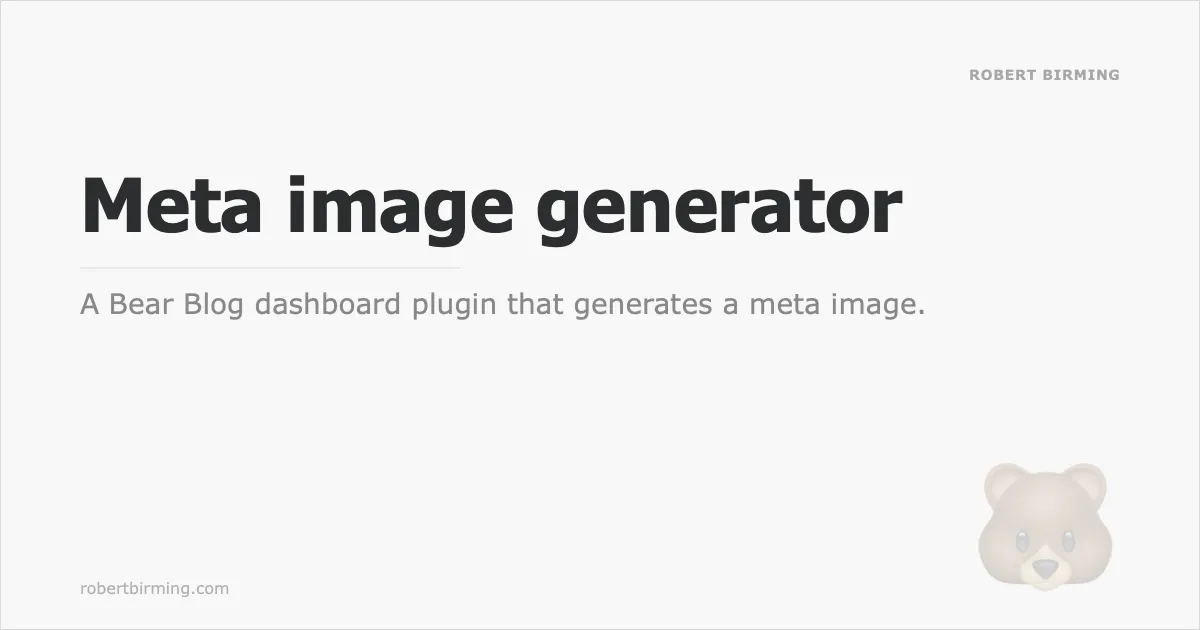
It opens right from the post editor, pulls in your post title automatically, and lets you download a ready-to-upload PNG image to your post.1
Preview
How to use
Installation
- Copy the script below.
- Add your blog name, and your domain if you have a custom one, in the settings at the top of the script.
- Go to Customise dashboard.
- Paste it under "Dashboard footer content".
- Save. Enjoy.
Settings
Two settings at the top of the script fill in the fields for you:
const BLOG_NAME = 'Your name';
const DOMAIN = 'yourblog.com';
Leave the domain empty to use your blog's address automatically. Both fields can still be changed for a single image, right in the generator.
Generating an image
- Open a post and click Meta image in the editor's link bar.
- The title field pre-fills from your post automatically, edit it if needed.
- Optionally add a tagline, adjust the blog name or domain, and pick an accent emoji, or type your own.
- Watch the live preview update as you type.
- Click Download PNG. The file saves as
your-post-title-meta.pngand the window closes automatically. - Upload it in your post's
meta_image:field.
Press Escape or click outside the window to close it without downloading.
Customize
The image colors and fonts live in IMAGE, right below the settings. Change them to match your own theme.
Plugin
<script>
/*
Plugin name: Meta image
Description: Generate and download a meta image for your post.
Author: Robert Birming
Author URI: https://robertbirming.com
*/
(function () {
'use strict';
// Your settings. Leave the domain empty to detect it automatically.
const BLOG_NAME = '';
const DOMAIN = '';
const $headerContent = document.getElementById('header_content');
const $insertMedia = document.getElementById('upload-image');
if (!$headerContent || !$insertMedia || !window.HTMLDialogElement) return;
/* Image design
========================================================================== */
// Fixed light colors keep exported images the same wherever they're shared.
// Update these when Robeart's light palette changes.
const IMAGE = {
width: 1200,
height: 630,
margin: 80,
bg: '#f8f8f8',
text: '#2c2d2e',
border: 'rgba(44, 45, 46, 0.15)',
fontHeading: 'Tahoma',
fontBody: 'Verdana'
};
const ACCENTS = ['', '✏️', '💬', '📚', '🎵', '🎙️', '🎬', '📷', '☕', '🌱', '❤️', '🐻'];
/* Styles
========================================================================== */
const $style = document.createElement('style');
$style.textContent = `
#meta-dialog {
width: min(660px, 100% - 2rem);
max-height: 90vh;
padding: 0;
overflow-y: auto;
border: 1px solid lightgrey;
color: var(--text-color, #444);
background: var(--background-color, #fff);
box-shadow: 0 8px 32px rgba(0, 0, 0, 0.2);
}
#meta-dialog::backdrop {
background: rgba(0, 0, 0, 0.4);
}
#meta-head {
display: flex;
align-items: center;
justify-content: space-between;
padding: 12px 16px;
border-bottom: 1px solid lightgrey;
}
#meta-head h2 {
margin: 0;
font-size: 1em;
}
#meta-body {
display: flex;
flex-direction: column;
gap: 14px;
padding: 16px;
}
#meta-preview {
width: 100%;
aspect-ratio: 1200 / 630;
overflow: hidden;
border: 1px solid rgba(128, 128, 128, 0.2);
}
#meta-preview svg {
display: block;
width: 100%;
height: 100%;
}
.meta-field {
display: flex;
flex-direction: column;
gap: 4px;
}
.meta-label {
font-size: 0.8em;
font-weight: 600;
letter-spacing: 0.06em;
text-transform: uppercase;
opacity: 0.55;
}
.meta-row {
display: grid;
grid-template-columns: 1fr 1fr;
gap: 12px;
}
#meta-dialog input[type="text"] {
box-sizing: border-box;
width: 100%;
padding: 6px 8px;
font-family: inherit;
font-size: 0.95em;
border: 1px solid rgba(128, 128, 128, 0.3);
border-radius: 3px;
color: inherit;
background: transparent;
}
#meta-dialog input[type="text"]:focus {
outline: none;
border-color: var(--link-color, #1a5cb8);
}
#meta-accents {
display: flex;
flex-wrap: wrap;
align-items: center;
gap: 6px;
}
.meta-accent {
display: flex;
align-items: center;
justify-content: center;
width: 36px;
height: 36px;
padding: 0;
font-family: inherit;
font-size: 1.2em;
border: 1px solid rgba(128, 128, 128, 0.25);
border-radius: 3px;
color: inherit;
background: rgba(128, 128, 128, 0.07);
cursor: pointer;
}
.meta-accent-none {
width: auto;
padding: 0 8px;
font-size: 0.75em;
}
.meta-accent:hover {
border-color: rgba(128, 128, 128, 0.45);
}
.meta-accent[aria-pressed="true"] {
border-color: var(--link-color, #1a5cb8);
background: rgba(128, 128, 128, 0.14);
}
#meta-dialog #meta-custom {
width: 64px;
height: 36px;
padding: 0 6px;
font-size: 0.75em;
}
#meta-actions {
display: flex;
justify-content: flex-end;
padding-top: 2px;
}
@media (prefers-color-scheme: dark) {
#meta-dialog,
#meta-head {
border-color: rgba(255, 255, 255, 0.12);
}
}
`;
document.head.append($style);
/* Dialog
========================================================================== */
const $dialog = document.createElement('dialog');
$dialog.id = 'meta-dialog';
$dialog.setAttribute('aria-labelledby', 'meta-heading');
$dialog.innerHTML = `
<div id="meta-head">
<h2 id="meta-heading">Meta image</h2>
<button type="button" data-action="close">Close</button>
</div>
<div id="meta-body">
<div id="meta-preview" role="img" aria-label="Preview of the meta image"></div>
<div class="meta-field">
<label class="meta-label" for="meta-blogname">Blog name</label>
<input type="text" id="meta-blogname" placeholder="Your name or blog name" autocomplete="off">
</div>
<div class="meta-field">
<label class="meta-label" for="meta-title">Title</label>
<input type="text" id="meta-title" placeholder="Post title" autocomplete="off" autofocus>
</div>
<div class="meta-row">
<div class="meta-field">
<label class="meta-label" for="meta-tagline">Tagline</label>
<input type="text" id="meta-tagline" placeholder="e.g. a personal blog" autocomplete="off">
</div>
<div class="meta-field">
<label class="meta-label" for="meta-domain">Domain</label>
<input type="text" id="meta-domain" placeholder="yourblog.com" autocomplete="off">
</div>
</div>
<div class="meta-field">
<span class="meta-label" id="meta-accent-label">Accent graphic</span>
<div id="meta-accents" role="group" aria-labelledby="meta-accent-label">
${ACCENTS.map(item => `<button type="button" class="meta-accent${item ? '' : ' meta-accent-none'}" data-accent="${item}" aria-pressed="false">${item || 'None'}</button>`).join('')}
<input type="text" id="meta-custom" placeholder="Custom" aria-label="Custom accent" autocomplete="off">
</div>
</div>
<div id="meta-actions">
<button type="button" data-action="download">Download PNG</button>
</div>
</div>
`;
document.body.append($dialog);
const $preview = $dialog.querySelector('#meta-preview');
const $blogname = $dialog.querySelector('#meta-blogname');
const $title = $dialog.querySelector('#meta-title');
const $tagline = $dialog.querySelector('#meta-tagline');
const $domain = $dialog.querySelector('#meta-domain');
const $custom = $dialog.querySelector('#meta-custom');
const $accents = [...$dialog.querySelectorAll('.meta-accent')];
const $download = $dialog.querySelector('[data-action="download"]');
// "Meta image" in the editor's link bar, next to Bear's own links
const $link = document.createElement('a');
$link.href = '#';
$link.textContent = 'Meta image';
$insertMedia.parentElement.append(' | ', $link);
let accent = '';
function postTitle() {
const match = ($headerContent.innerText || '').match(/title:\s*(.+)/i);
return match ? match[1].trim() : '';
}
// Custom domain from Bear's View button, otherwise the bearblog.dev address
function detectDomain() {
const onclick = document.getElementById('view-button')?.getAttribute('onclick') || '';
const match = onclick.match(/\/\/([^/'"]+)/);
if (match) return match[1];
const slug = location.pathname.split('/').filter(Boolean)[0];
return slug ? `${slug}.bearblog.dev` : '';
}
function setAccent(value) {
accent = value;
$accents.forEach(btn => btn.setAttribute('aria-pressed', String(btn.dataset.accent === value)));
render();
}
function open() {
$blogname.value = BLOG_NAME;
$title.value = postTitle();
$domain.value = DOMAIN || detectDomain();
$tagline.value = '';
$custom.value = '';
setAccent('');
$dialog.showModal();
}
/* Drawing
========================================================================== */
function escX(value) {
return String(value)
.replace(/&/g, '&')
.replace(/</g, '<')
.replace(/>/g, '>')
.replace(/"/g, '"');
}
// Measured with the same weight as drawn, so lines wrap where they will render
const measureCtx = document.createElement('canvas').getContext('2d');
function measure(text, size, family, weight) {
measureCtx.font = `${weight} ${size}px ${family}, system-ui, sans-serif`;
return measureCtx.measureText(text).width;
}
// Wrap words to the image width, ending with an ellipsis when lines run out
function wrap(text, size, family, weight, maxLines) {
const maxWidth = IMAGE.width - IMAGE.margin * 2;
const lines = [];
let line = '';
String(text).split(/\s+/).filter(Boolean).forEach(word => {
const candidate = line ? `${line} ${word}` : word;
if (line && measure(candidate, size, family, weight) > maxWidth) {
lines.push(line);
line = word;
} else {
line = candidate;
}
});
if (line) lines.push(line);
if (lines.length <= maxLines) return lines;
const kept = lines.slice(0, maxLines);
let last = kept[maxLines - 1];
while (last.length > 1 && measure(`${last}…`, size, family, weight) > maxWidth) {
last = last.slice(0, -1);
}
kept[maxLines - 1] = `${last.trimEnd()}…`;
return kept;
}
function buildSVG({ title, tagline, domain, blogname }) {
const { width: W, height: H, margin: M } = IMAGE;
const font = family => `font-family="${escX(family)}, system-ui, sans-serif"`;
const text = (x, y, content, attrs) =>
`<text x="${x}" y="${y}" ${attrs} fill="${IMAGE.text}">${escX(content)}</text>`;
// Largest size that fits the title in two lines, or three at the smallest size
const sizes = [74, 64, 56];
let size = sizes[0];
let lines = [];
for (const [i, s] of sizes.entries()) {
size = s;
lines = wrap(title || 'Untitled', s, IMAGE.fontHeading, 700, 3);
if (lines.length <= (i === sizes.length - 1 ? 3 : 2)) break;
}
const lineHeight = size * 1.22;
const top = lines.length > 2 ? 180 : lines.length === 2 ? 200 : 232;
const ruleY = top + (lines.length - 1) * lineHeight + 36;
const taglineY = ruleY + 46;
const titleSVG = lines
.map((line, i) => text(M, top + i * lineHeight, line,
`${font(IMAGE.fontHeading)} font-size="${size}" font-weight="700"`))
.join('');
const taglineSVG = tagline
? wrap(tagline, 28, IMAGE.fontBody, 400, 2)
.map((line, i) => text(M, taglineY + i * 28 * 1.3, line,
`${font(IMAGE.fontBody)} font-size="28" font-weight="400" opacity="0.55"`))
.join('')
: '';
const blognameSVG = blogname
? text(W - M, 80, blogname.toUpperCase(),
`${font(IMAGE.fontBody)} font-size="14" font-weight="700" text-anchor="end" opacity="0.4" letter-spacing="0.05em"`)
: '';
const domainSVG = domain
? text(M, H - 36, domain, `${font(IMAGE.fontBody)} font-size="16" font-weight="400" opacity="0.35"`)
: '';
const accentSVG = accent
? text(W - M, H - 50, accent, 'font-size="150" text-anchor="end" opacity="0.18"')
: '';
return `<svg xmlns="http://www.w3.org/2000/svg" viewBox="0 0 ${W} ${H}" width="${W}" height="${H}">`
+ `<rect width="${W}" height="${H}" fill="${IMAGE.bg}"/>`
+ `<rect x="0.5" y="0.5" width="${W - 1}" height="${H - 1}" fill="none" stroke="${IMAGE.border}" stroke-width="1"/>`
+ blognameSVG
+ accentSVG
+ titleSVG
+ `<line x1="${M}" y1="${ruleY}" x2="460" y2="${ruleY}" stroke="${IMAGE.border}" stroke-width="1"/>`
+ taglineSVG
+ domainSVG
+ '</svg>';
}
function values() {
return {
title: $title.value,
tagline: $tagline.value,
domain: $domain.value,
blogname: $blogname.value
};
}
function render() {
$preview.innerHTML = buildSVG(values());
}
/* Download
========================================================================== */
function slugify(value) {
const base = String(value).normalize('NFD').replace(/[̀-ͯ]/g, '')
.toLowerCase().replace(/[^a-z0-9]+/g, '-').replace(/^-|-$/g, '');
return base || 'meta-image';
}
// SVG to canvas to PNG, then download and close
function download() {
const url = URL.createObjectURL(new Blob([buildSVG(values())], { type: 'image/svg+xml' }));
const img = new Image();
const label = $download.textContent;
$download.disabled = true;
$download.textContent = 'Preparing…';
function done() {
$download.disabled = false;
$download.textContent = label;
}
img.onload = () => {
URL.revokeObjectURL(url);
const canvas = document.createElement('canvas');
canvas.width = IMAGE.width;
canvas.height = IMAGE.height;
canvas.getContext('2d').drawImage(img, 0, 0);
canvas.toBlob(blob => {
done();
if (!blob) {
alert('Could not generate the PNG. Please try again.');
return;
}
const pngUrl = URL.createObjectURL(blob);
const a = document.createElement('a');
a.href = pngUrl;
a.download = `${slugify($title.value)}-meta.png`;
a.click();
setTimeout(() => URL.revokeObjectURL(pngUrl), 100);
$dialog.close();
}, 'image/png');
};
img.onerror = () => {
URL.revokeObjectURL(url);
done();
alert('Could not render the image. Please try again.');
};
img.src = url;
}
/* Events
========================================================================== */
$link.addEventListener('click', event => {
event.preventDefault();
open();
});
$dialog.addEventListener('click', event => {
// A click on the dialog itself means the backdrop around it
if (event.target === $dialog) return $dialog.close();
const action = event.target.closest('[data-action]')?.dataset.action;
if (action === 'close') $dialog.close();
if (action === 'download') download();
const $accent = event.target.closest('.meta-accent');
if ($accent) {
$custom.value = '';
setAccent($accent.dataset.accent);
}
});
// Back to the link that opened it
$dialog.addEventListener('close', () => $link.focus());
[$blogname, $title, $tagline, $domain].forEach($input => $input.addEventListener('input', render));
// First character only, keeping multi-part emoji whole where the browser can
function firstGrapheme(value) {
if (window.Intl?.Segmenter) {
const first = new Intl.Segmenter(undefined, { granularity: 'grapheme' }).segment(value)[Symbol.iterator]().next();
return first.done ? '' : first.value.segment;
}
return Array.from(value)[0] || '';
}
$custom.addEventListener('input', () => setAccent(firstGrapheme($custom.value.trim())));
})();
</script>
Want more? Check out the full Bear Blog library.
Requires JavaScript, available with Bear Blog subscription.↩